
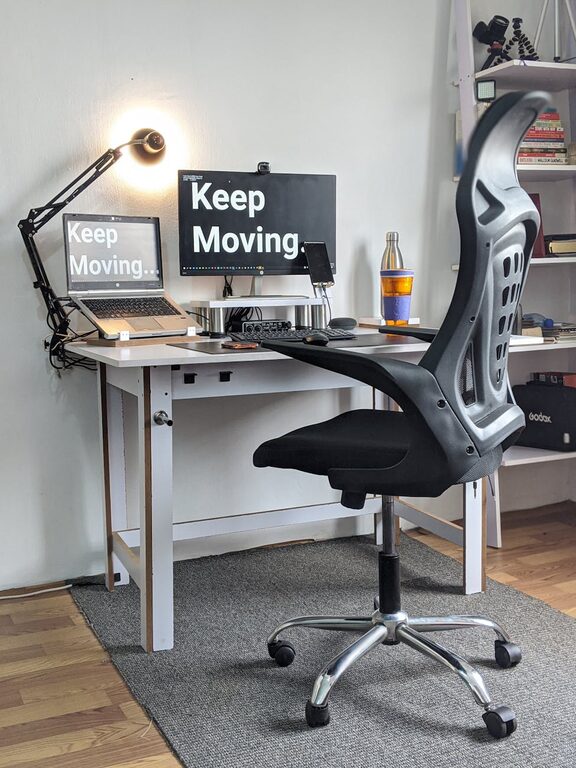
Creating an effective desk setup can make a significant difference in your daily productivity and overall comfort. Whether you work from home or in an office, a well-organized and ergonomic workspace helps reduce distractions, prevent discomfort, and improve focus. In this guide, we’ll explore practical tips to design a desk setup tailored for both concentration and comfort.
Why Your Desk Setup Matters
Your desk setup is more than just where you place your computer and supplies. It influences how you work, how comfortable you feel, and even your health. Poor posture, clutter, and inadequate lighting can lead to fatigue and decreased motivation. By optimizing your desk arrangement, you create an environment that supports productivity and well-being.
Choosing the Right Desk and Chair
Pick an Adjustable Chair
An adjustable chair that supports your lower back is critical. Look for features like adjustable height, lumbar support, and comfortable cushioning. Your feet should rest flat on the floor or a footrest, and your knees should be at a roughly 90-degree angle.
Select a Desk with Enough Space
Your desk should be wide and deep enough to hold your computer, documents, and any accessories without overcrowding. If possible, consider a height-adjustable desk to switch between sitting and standing positions throughout the day.
Positioning Your Monitor and Laptop
Keep the Screen at Eye Level
Your monitor should be centered and positioned so that the top of the screen is at or just below eye level. This setup reduces neck strain and encourages good posture. Use monitor stands or adjustable arms if needed.
Maintain Proper Distance
The ideal distance between your eyes and the screen is about an arm’s length (roughly 20 to 30 inches). This helps reduce eye strain and allows you to see the screen clearly without leaning forward.
Use an External Keyboard and Mouse
If you use a laptop, connect an external keyboard and mouse. This allows you to position your laptop screen correctly without compromising hand and wrist position.
Organizing Your Desk for Focus
Keep Frequently Used Items Within Reach
Place items you use regularly—like pens, notebooks, or a water bottle—within easy reach to avoid constant stretching or distractions.
Limit Desk Clutter
A clean desk minimizes distractions and helps you stay focused. Use drawer organizers, desk trays, or simple containers to keep supplies neat and accessible.
Incorporate a Planner or To-Do List
Having a planner, notebook, or whiteboard handy allows you to keep track of tasks and priorities visually, which supports concentration.
Lighting and Ambiance
Use Natural Light When Possible
Natural light improves mood and reduces eye strain. Position your desk near a window to take advantage of daylight, but avoid screen glare by adjusting blinds or curtains.
Add Task Lighting
If natural light is insufficient, add a desk lamp with adjustable brightness. Soft, warm light can reduce eye fatigue during long work sessions.
Personalize with Greenery or Decor
Plants or simple décor can make your workspace pleasant and inviting without clutter. Greenery has been shown to improve mood and focus.
Ergonomic Accessories to Consider
– Footrests: If your feet don’t reach the floor comfortably, a footrest helps maintain proper posture.
– Wrist Supports: Ergonomic keyboards or wrist pads reduce strain during typing.
– Cable Management: Use clips or organizers to keep cords tidy, preventing tangled messes.
– Headphones: Noise-cancelling headphones can help block distractions in noisy environments.
Maintain Good Habits
Take Regular Breaks
Regular breaks—about 5 minutes every hour—help reduce fatigue and maintain focus. Stand, stretch, or walk around to improve circulation.
Adjust Your Setup as Needed
Your ideal desk setup can change over time. Periodically review your workspace and make adjustments based on comfort and workflow.
—
By applying these desk setup tips, you create a workspace designed to support your focus and comfort throughout the day. Small changes can lead to big improvements in how you feel and work. Start by assessing your current setup and incorporating these practical ideas to foster a healthy and productive environment.